

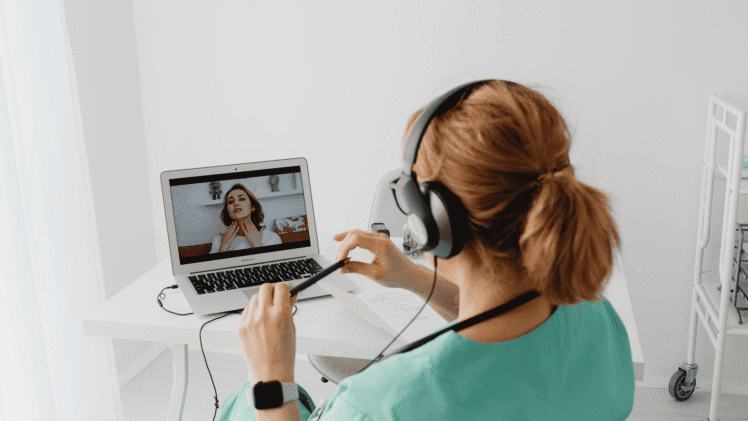
Many people now want to manage their health from home, and care teams want to know how patients are doing between visits. Remote patient monitoring systems are becoming a common part of modern care. I wrote this guide to explain what these systems are, how they work and how to think about choosing one.
I have spent a good deal of time reading about how care teams adopt new tools. For a clear starting point, the LeewayHertz page on remote patient monitoring software describes the basics in a structured way. It is worth reading before you compare vendors or talk with your care team about your options. I found its step by step layout easy to follow when I first looked at the subject, and that made the rest of my research much faster.
How Remote Patient Monitoring Systems Work
A remote patient monitoring system collects health data outside a hospital or clinic. The patient uses devices at home, and each reading is sent to a secure platform. Care teams review that information and step in when a reading looks wrong. The cycle repeats every day, so the team always has a current picture of how the patient is doing between visits.
The process usually begins with a care plan. A clinician decides which measurements matter for a specific condition. Those readings might include heart rate, blood pressure and oxygen levels. The care plan also sets how often data is recorded and who receives it. In my experience, the plan works best when the patient helps shape it, because people stick with routines they understand.
In my experience, the most useful systems keep the steps simple for the patient. Devices pair with a phone or tablet and send readings on a schedule without much effort from the patient. Patients who must complete many steps each day often stop using the tool after a few weeks. This is why we ask about daily effort early in any planning talk, long before anyone chooses a device.
Readings only help when someone acts on them. That is where alerts come in, and they are a core part of the process. When a reading falls outside an agreed range, the platform notifies a nurse or physician. That lets staff call a patient early rather than waiting for the next scheduled visit. Good alerts turn a steady stream of numbers into a clear next step.
Core Components of a Remote Patient Monitoring System
Most systems share three basic parts. Each part does a separate job, and a weak link in any one of them can reduce the value of the whole setup. I think of these parts as the devices, the platform and the response process, because each one can fail in its own way. Looking at them one at a time makes it much easier to spot gaps before launch.
Monitoring Devices
Devices include blood pressure cuffs, glucose meters, pulse oximeters and connected scales. Many send readings automatically over Bluetooth or a cellular connection. Simple devices with clear displays tend to get used more often. The right device depends on the condition being tracked, so the clinician usually makes that choice before the patient receives it. We recommend a short hands-on session so patients know how each device works at home.
Data Platforms and Alerts
The platform stores readings, shows trends over time and flags values that need attention. A good dashboard lets clinicians scan many patients quickly, and it should keep a record of who viewed each file. This record matters when a team needs to explain how a decision was made. When I review a setup, I check three things.
- Monitoring devices that record vital signs
- A secure data platform with trend views
- Alert rules and a clear care team response process
Each of these pieces needs to work with the others. A device that sends readings late makes an alert rule less useful, and a dashboard nobody checks makes both of them pointless. I always test the full path from device to response before a patient goes home. That test takes an afternoon, and it catches most of the problems that would otherwise appear in the first week.
Benefits for Patients and Care Teams
Earlier attention is the main benefit. A small change in weight or breathing can signal that a condition is getting worse. Catching that change early can lead to a quick adjustment instead of an emergency visit. Early signals give the team time to call, adjust a plan or book a visit before the situation becomes urgent.
Patients also gain more control over daily routines. They can take readings from home and see their own trends. Many people feel more confident when they can track progress between appointments. Seeing a steady line on a chart can also encourage the habits that keep a condition stable. For many people, that feedback is the part they value most.
Care teams get better information to work with. Clinicians can focus on the patients who need help most. Scheduling becomes more flexible, and time spent on routine visits can shrink. In practice, these gains show up in three specific ways.
- Earlier detection of changes in health status
- Fewer unplanned hospital trips in some cases
- Better engagement between visits
These benefits depend on how the team uses the data. Staff need to review the readings, respond to alerts and act on trends. A dashboard that nobody checks does little for anyone, so I always ask who owns the daily review before a launch. Naming that person early is one of the simplest steps a team can take, and it usually takes only a short meeting.
Who Typically Uses Remote Patient Monitoring
These systems are often used for chronic conditions that need steady tracking. Heart failure, hypertension, diabetes and chronic lung disease are common examples. Most users fall into one of two groups, patients living with a chronic condition and patients in recovery after surgery. I have noticed that teams usually start with the group that gives them the clearest benefit and the most useful data.
Health systems, home care agencies and independent clinics all adopt these tools. The setup depends on the size of the team and the type of patients served. A small clinic may start with one condition and expand later. Patients in recovery after surgery may only need monitoring for a set period, so the program can close once recovery is complete.
Family caregivers sometimes take part as well. With the patient’s permission, they can see alerts and help with daily routines. We suggest writing down roles before the first device is handed out, so everyone knows who responds to which alert. Clear roles protect the patient and the caregiver from confusion, and they keep the alert queue from landing on the wrong person.
A clinician should decide whether continuous monitoring will help a particular person. That decision keeps patients from receiving data they do not need and saves staff time. I have found that patients accept the plan more readily when the clinician explains why each measurement matters for them. A short explanation at the start often prevents weeks of missed readings later.
Choosing a System That Fits Your Needs
Choosing a system starts with clear goals. Write down the conditions you want to track and the people who will use the data. This makes it easier to compare options fairly, and a short written list keeps the comparison focused on what you need in daily care. It also keeps the conversation away from features that look impressive but never get used.
Start With Clinical Goals
Define which decisions the data should support. A system for daily blood pressure checks has different needs than one for weekly weight tracking. Matching features to goals keeps costs and complexity under control. Ask the clinician which readings would change a treatment decision and which ones would only be nice to have. Clear answers make it easier to rule out products with features you will never use.
Review Privacy and Data Security
Health data is sensitive. Look for clear information on encryption, access controls and how long records are stored. Confirm which rules apply in your region before signing any agreement. Ask the vendor to explain these points in plain language so that everyone on the care team understands them.
Integration needs attention too. Check whether the platform can share data with your electronic health record. Manual copying wastes time and raises the chance of errors. If the records team is involved early, the connection is usually easier to set up. We would also plan training for both patients and staff before launch.
Common Challenges to Plan For
No system works perfectly from day one. Device setup, connectivity problems and patient motivation are the most common hurdles. Each of these problems is easier to solve when it is spotted early. I would plan for them before the first device ships, so the team has answers ready when the first questions arrive.
Some patients struggle with new technology. Simple instructions, a single point of contact and a quick reply to first questions can make a real difference. I have seen adoption improve when staff call new users within the first week. A short follow up call also gives staff a chance to fix small problems before they turn into missed readings.
Too much data brings a challenge of its own. Too many alerts can cause staff to overlook important warnings, so setting thresholds with care keeps the alert queue manageable. Staff who receive too many alerts tend to tune them out, and that is where the risk lies. We suggest reviewing thresholds after the first month, when real patterns start to show.
Reimbursement rules and budgets also vary. Coverage differs from one plan to the next, so confirm it with your payer before committing to a plan and ask for the details in writing. Budget planning should include device replacement, staff time for reviews and any software fees. Getting these numbers early keeps the project from stalling halfway through.
Taking the Next Step With Remote Patient Monitoring
Remote patient monitoring systems help people with ongoing conditions stay connected to their care teams. They collect readings at home, send alerts when values change and give clinicians better information between visits. Knowing the basic parts of these systems makes every later decision easier.
If you are considering one, start by writing down your clinical goals. List the conditions to track, the people who will review the data and the features that matter most. That short list will guide your conversations with vendors and your care team, and it gives you a fair way to compare each option.
Next, ask about privacy, data security and integration with your existing records. Request a demonstration so you can see how the dashboard and alerts work in practice. Pay attention to how easy the devices are for patients to use each day, because that daily effort decides whether the system keeps running.
Finally, plan training, alert rules and coverage before launch. Set a date for the first review on the calendar before any device goes out. A prepared rollout gives patients and staff a better chance at a smooth start. Begin with one clear goal, build a simple plan from there and review it with your team after the first month.


